Essential WordPress Speed and Performance Tools for Bloggers


Why Speed Matters More Than Ever

If your blog takes more than a few seconds to load, visitors leave.

That means:

  • Lower SEO rankings
  • Fewer email signups
  • Fewer affiliate clicks
  • Lost revenue

Google now factors speed and Core Web Vitals into rankings, which makes performance optimization a must โ€” not optional.

If you're running The Bloggerโ€™s Guide To Marketing on WordPress, speed optimization directly impacts traffic growth and monetization.

Letโ€™s break down the essential tools every blogger should consider.


1. Caching Plugins

Caching reduces server load and speeds up page delivery.

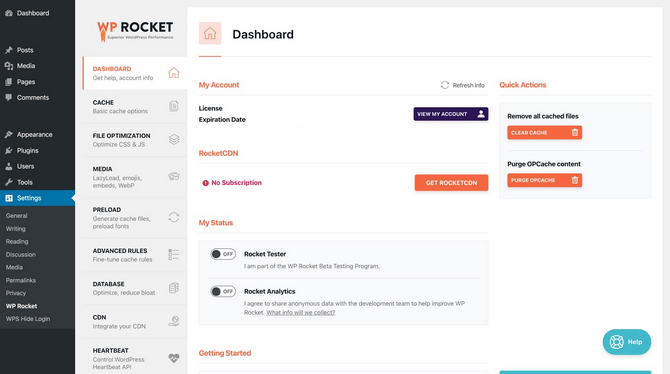
๐Ÿš€ WP Rocket

https://www.fastcomet.com/storage/upload/images/tutorials/wordpress/wp-rocket-main-dashboard.png
https://d33v4339jhl8k0.cloudfront.net/docs/assets/5415e7bfe4b01e2a68fe8243/images/6643c8c70aaf8a27e593c1ed/file-RcO3aqjhMX.png
https://d33v4339jhl8k0.cloudfront.net/docs/assets/5415e7bfe4b01e2a68fe8243/images/67802e04ff4d540bf7c2ddee/file-IQlDexfta8.gif

One of the easiest premium speed tools available.

Why bloggers love it:

  • Page caching
  • File minification
  • Lazy loading
  • Database cleanup
  • CDN integration

Itโ€™s beginner-friendly and requires minimal setup.


โšก W3 Total Cache

https://i0.wp.com/learn.wordpress.org/files/2022/03/image-3.png?ssl=1
https://www.hostpapa.com/knowledgebase/app/uploads/2017/08/2-18.png
https://i0.wp.com/learn.wordpress.org/files/2022/03/image-8.png?ssl=1

A powerful free option for more advanced users.

Great if:

  • Youโ€™re comfortable adjusting technical settings
  • You want a no-cost solution
  • Youโ€™re optimizing shared hosting

2. Image Optimization Tools

Images are often the #1 reason blogs load slowly.

๐Ÿ–ผ ShortPixel

https://ps.w.org/shortpixel-image-optimiser/assets/banner-1544x500.png?rev=3400007
https://shortpixel.com/img/spweb/sp-web-key.png
https://embed-ssl.wistia.com/deliveries/92c871a685490d2f61a35ad858bbf7255b58758a.webp?image_crop_resized=960x542

Automatically compresses images without losing quality.

Benefits:

  • WebP conversion
  • Bulk image optimization
  • Automatic compression on upload

๐Ÿ“ธ Smush

https://www.hostpapa.com/knowledgebase/app/uploads/2017/08/2-20.png
https://www.hostpapa.com/knowledgebase/app/uploads/2017/08/1-24.png
https://ps.w.org/wp-smushit/assets/banner-772x250.png?rev=2624292

Beginner-friendly image optimization plugin.

Good for bloggers who want:

  • Simple setup
  • Free compression
  • Lazy loading features

3. Speed Testing Tools

Before optimizing, measure performance.

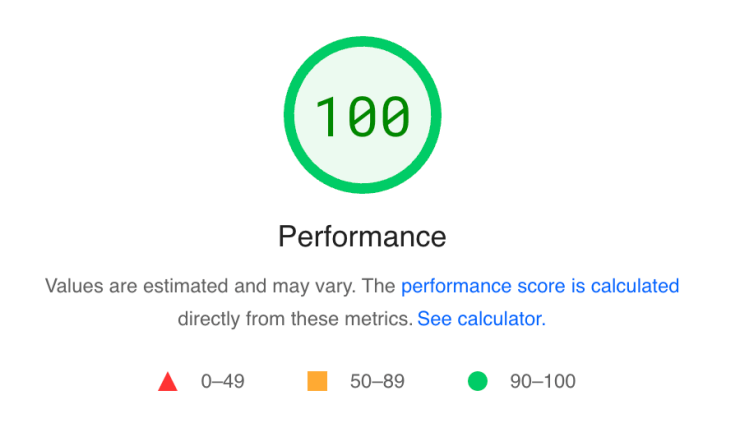
๐Ÿ“Š Google PageSpeed Insights

https://static1.smartbear.co/loadninja/media/images/resources/lighthouse-report.png
https://nmcdn.io/e186d21f8c7946a19faed23c3da2f0da/347bed083486499c98f1609efa95efbd/files/web-vitals-vs-psi.png
https://www.codeable.io/wp-content-new/uploads/2023/01/NitroPack2.png

Shows:

  • Core Web Vitals
  • Mobile performance
  • Optimization recommendations

This should be your starting point.


๐Ÿ”Ž GTmetrix

https://screens.kgix.net/jc/firefox_V0YrYNDnwf.png
https://support.ptc.com/help/thingworx/platform/r9/en/ThingWorx/images/WaterfallChartWidgetDataLoadedImage.png
https://www.debugbear.com/dimg/a15b6d31481e247b04ca9a28e1e11ac0.png

Provides:

  • Waterfall breakdown
  • Load time analysis
  • File-by-file performance data

Perfect for deeper analysis.


4. CDN (Content Delivery Network)

A CDN serves your content from servers closer to your visitor.

๐ŸŒŽ Cloudflare

https://cf-assets.www.cloudflare.com/zkvhlag99gkb/1UxRs9I5elsbcM0aU2I5VK/282c197cdaab365f660304f0e89b6479/a-new-look-on-your-cloudflare-dashboard.png
https://global.discourse-cdn.com/cloudflare/original/3X/2/0/202430d8ea12f1916365b0430041a8c41e81b44e.png
https://www.fastcomet.com/storage/upload/images/tutorials/cloudflareCDN/fastcomet-cloudflare-tutorial-observatory-optimization.png

Free plan available.

Benefits:

  • Faster global load times
  • Added security
  • Basic DDoS protection
  • SSL included

Highly recommended for bloggers running ads or affiliate content.


5. Database Optimization

Over time, WordPress databases become bloated.

๐Ÿ—„ WP-Optimize

https://www.hostpapa.com/knowledgebase/app/uploads/2024/11/WP-Optimize-add-new-plugin-1024x508.png
https://53.fs1.hubspotusercontent-na1.net/hub/53/hubfs/wordpress%20database%20optimization%20plugin%20%28update%29.webp?height=423&name=wordpress+database+optimization+plugin+%28update%29.webp&width=650
https://www.hostpapa.com/knowledgebase/app/uploads/2024/11/Installing-WP-Optimize-1.png

Helps clean:

  • Post revisions
  • Spam comments
  • Transients
  • Overhead tables

Cleaner database = faster site.


6. Hosting Matters More Than Plugins

Even the best plugins canโ€™t fix slow hosting.

If you're on basic shared hosting and running:

  • Taboola ads
  • Affiliate banners
  • Multiple plugins

You may need performance-focused hosting.

Speed + clean design + optimized images = better conversions.


Simple Speed Strategy for Bloggers

If you want a clean setup:

  1. Install one caching plugin (not multiple).
  2. Optimize images automatically.
  3. Connect Cloudflare.
  4. Test with PageSpeed.
  5. Clean your database monthly.

Keep it simple. Avoid plugin overload.


Final Thoughts

Speed is not just technical โ€” itโ€™s financial.

Faster pages:

  • Rank higher
  • Convert better
  • Earn more

If you're serious about growing traffic and affiliate revenue, optimizing WordPress speed should be part of your long-term strategy.


On-Page SEO Techniques: Optimizing Each Blog Post

On-page SEO is a critical aspect of optimizing your blog for search engines and ensuring that each post you publish has the best chance of ranking well in search engine results pages (SERPs). By focusing on various on-page elements, you can make your content more appealing to both search engines and readers, driving more traffic and increasing the visibility of your blog. In this comprehensive guide, we will explore various on-page SEO techniques that you can apply to optimize each blog post effectively.

1. Keyword Research and Optimization

  • Importance of Keywords: Keywords are the foundation of on-page SEO. They help search engines understand the content of your blog post and match it with relevant search queries.
  • Conducting Keyword Research: Utilize tools like Google Keyword Planner, Ahrefs, or SEMrush to find relevant keywords for your blog post. Focus on long-tail keywords with lower competition but sufficient search volume.
  • Keyword Placement: Strategically place your primary keyword in the blog post title, meta description, headers (H1, H2, H3), and throughout the content. Ensure that it appears naturally without keyword stuffing.

2. Crafting SEO-Friendly Titles

  • Title Structure: The blog post title should be compelling and include your primary keyword. Keep it under 60 characters to avoid truncation in SERPs.
  • Using Power Words: Incorporate power words like โ€œUltimate,โ€ โ€œGuide,โ€ โ€œTips,โ€ and โ€œStrategiesโ€ to make your title more attractive and clickable.
  • Avoiding Clickbait: While creating attention-grabbing titles is important, avoid misleading titles that do not align with the content.

3. Meta Descriptions

  • Writing Effective Meta Descriptions: The meta description should provide a concise summary of the blog post, including the primary keyword. Aim for 150-160 characters to ensure itโ€™s fully displayed in search results.
  • Including a Call-to-Action (CTA): Encourage readers to click on your post by including a CTA like โ€œLearn more,โ€ โ€œFind out how,โ€ or โ€œDiscover.โ€
  • Avoiding Duplicate Meta Descriptions: Each blog post should have a unique meta description to prevent confusion and improve SEO performance.

4. Optimizing Headers and Subheaders

  • Importance of Headers: Headers (H1, H2, H3, etc.) help structure your content and make it easier for readers and search engines to navigate.
  • Using Keywords in Headers: Include your primary keyword in the H1 (main title) and related keywords in H2 and H3 subheaders. This signals to search engines what your content is about.
  • Maintaining Logical Hierarchy: Ensure your headers follow a logical structure, with H1 as the main heading, followed by H2 for subheadings, and H3 for sub-points.

5. Content Optimization

  • Writing High-Quality Content: Focus on creating content that provides value to your readers. Ensure it is well-researched, informative, and addresses the needs of your audience.
  • Keyword Density: Maintain a natural keyword density of around 1-2%. Overusing keywords can lead to keyword stuffing, which can harm your SEO.
  • LSI Keywords: Use Latent Semantic Indexing (LSI) keywordsโ€”terms related to your primary keyword. This helps search engines understand the context of your content.

6. Image Optimization

  • Using Alt Text: Every image in your blog post should have alt text that describes the image and includes your primary keyword if relevant. Alt text helps with image SEO and accessibility.
  • Optimizing Image File Names: Rename image files with descriptive names that include keywords before uploading them (e.g., โ€œon-page-seo-techniques.jpgโ€ instead of โ€œIMG1234.jpgโ€).
  • Compressing Images: Reduce image file sizes without compromising quality to improve page load times, which is a critical factor for SEO.

7. Internal and External Linking

  • Internal Linking: Link to other relevant posts on your blog to create a network of content that helps search engines crawl your site and improves user experience.
  • External Linking: Include links to authoritative sources to back up your content and provide additional value to your readers. Ensure the links open in a new tab to keep readers on your site.
  • Anchor Text: Use descriptive anchor text for both internal and external links. Avoid generic terms like โ€œclick hereโ€ and instead use keywords related to the content.

8. URL Structure

  • Creating SEO-Friendly URLs: Your blog post URL should be short, descriptive, and include your primary keyword. Avoid using stop words (e.g., โ€œand,โ€ โ€œor,โ€ โ€œtheโ€) in the URL.
  • Using Hyphens for Readability: Separate words in the URL with hyphens (e.g., โ€œon-page-seo-techniquesโ€) to improve readability for both users and search engines.
  • Avoiding Dynamic URLs: Static URLs are preferred over dynamic ones, as they are easier for search engines to index and understand.

9. Mobile Optimization

  • Importance of Mobile-Friendly Design: With the increasing use of mobile devices, ensuring your blog is mobile-friendly is crucial for SEO. Google uses mobile-first indexing, meaning it primarily evaluates the mobile version of your site.
  • Responsive Design: Use responsive design to ensure your blog adapts to different screen sizes and provides a seamless user experience across devices.
  • Optimizing for Mobile Speed: Compress images, minify CSS and JavaScript, and leverage browser caching to improve mobile load times.

10. Page Load Speed

  • Impact of Load Speed on SEO: Page load speed is a ranking factor for Google. A faster website provides a better user experience and can improve your rankings.
  • Tools for Testing Speed: Use tools like Google PageSpeed Insights, GTmetrix, or Pingdom to test your blogโ€™s load speed and identify areas for improvement.
  • Optimizing Resources: Reduce the number of HTTP requests, enable compression, and optimize CSS delivery to enhance page load speed.

11. Schema Markup

  • What is Schema Markup?: Schema markup is a form of microdata that helps search engines understand the content on your blog post more effectively.
  • Implementing Schema Markup: Use schema markup to highlight key information such as the blog post title, author, publish date, and more. This can lead to rich snippets in SERPs, enhancing visibility.
  • Testing Schema Markup: Use Googleโ€™s Structured Data Testing Tool to ensure your schema markup is correctly implemented and error-free.

12. Optimizing for User Engagement

  • Encouraging Comments and Social Sharing: Engage your readers by encouraging comments and social sharing. Higher engagement signals to search engines that your content is valuable.
  • Using Social Sharing Buttons: Make it easy for readers to share your content on social media by including social sharing buttons.
  • Creating Interactive Content: Consider adding polls, quizzes, or other interactive elements to increase time on page and reduce bounce rates.

13. Content Freshness and Updates

  • Updating Old Posts: Regularly update old blog posts with new information and keywords to keep them relevant. Search engines favor fresh content.
  • Republishing Updated Content: If significant updates are made, consider republishing the post with a new publish date to boost its visibility in SERPs.
  • Monitoring Content Performance: Use tools like Google Analytics to monitor the performance of your blog posts and identify opportunities for updates.

14. Tracking and Measuring SEO Performance

  • Using Google Analytics: Set up Google Analytics to track traffic, user behavior, and conversion rates for each blog post.
  • Google Search Console: Use Google Search Console to monitor your blogโ€™s visibility in search results, identify indexing issues, and analyze keyword performance.
  • Adjusting Your Strategy: Regularly review your on-page SEO performance and adjust your strategy based on data insights to continually improve your rankings.

Conclusion

Optimizing each blog post for on-page SEO is a continuous process that requires attention to detail and a focus on providing value to your readers. By implementing the techniques outlined in this guide, you can enhance your blog's visibility in search engine results, attract more organic traffic, and ultimately achieve your blogging goals. Remember, on-page SEO is just one part of the broader SEO strategy, but it plays a vital role in ensuring that each piece of content you publish has the best chance of reaching and resonating with your target audience.


Top 10 Content Marketing Tools Every Blogger Should Use

In the fast-paced world of blogging, staying ahead of the curve is essential. Content marketing tools can streamline your processes, improve your content quality, and boost your overall blogging strategy. In this article, weโ€™ll explore the top 10 content marketing tools that every blogger should consider using to enhance their workflow and achieve their goals.


1. SEMrush

Overview: SEMrush is an all-in-one digital marketing tool that provides comprehensive insights into your websiteโ€™s SEO, content marketing, and competitor analysis. Itโ€™s a favorite among bloggers for keyword research, site audits, and content optimization.

Features:

  • Keyword Research: Discover high-traffic keywords and assess their difficulty.
  • Content Analyzer: Evaluate your contentโ€™s readability, SEO performance, and engagement metrics.
  • Competitor Analysis: Analyze your competitors' strategies, including their top-performing keywords and content.

How to Use: Start by identifying keywords relevant to your niche. Use the site audit tool to find and fix SEO issues, and monitor your competitorsโ€™ content to identify gaps in your own strategy.

Benefits: SEMrush helps bloggers create data-driven content strategies that can significantly improve search engine rankings and drive more traffic.


2. Grammarly

Overview: Grammarly is a writing assistant that ensures your content is clear, engaging, and error-free. It checks for grammar, punctuation, style, and even tone, making it an indispensable tool for bloggers.

Features:

  • Grammar and Spell Check: Automatically corrects grammatical errors and spelling mistakes.
  • Style Suggestions: Enhances readability by suggesting improvements in sentence structure and vocabulary.
  • Plagiarism Checker: Ensures your content is original by scanning it against billions of web pages.

How to Use: Install the Grammarly extension or use the online editor to check your content before publishing. Itโ€™s also useful for drafting emails, social media posts, and other written communications.

Benefits: Grammarly ensures that your content is polished and professional, which can help build credibility with your audience.


3. Canva

Overview: Canva is a graphic design tool that allows bloggers to create stunning visuals without any design experience. From blog graphics to social media posts, Canva provides customizable templates for all your visual content needs.

Features:

  • Drag-and-Drop Editor: Easily create visuals by dragging and dropping elements.
  • Templates: Access a wide range of templates for infographics, blog headers, social media posts, and more.
  • Brand Kit: Maintain brand consistency by saving your brand colors, fonts, and logos.

How to Use: Use Canva to design eye-catching blog graphics that complement your content. You can also create social media visuals to promote your blog posts.

Benefits: High-quality visuals can significantly increase engagement and shares, making Canva an essential tool for any blogger looking to enhance their contentโ€™s visual appeal.


4. Buffer

Overview: Buffer is a social media management tool that helps bloggers schedule posts, track engagement, and manage multiple social media accounts from one dashboard.

Features:

  • Scheduling: Plan and schedule your social media posts in advance.
  • Analytics: Track the performance of your social media content and measure engagement.
  • Team Collaboration: Work with team members to manage social media accounts efficiently.

How to Use: Schedule your blog post promotions across various social media platforms using Buffer. Analyze the data to refine your social media strategy and maximize reach.

Benefits: Buffer saves time by automating social media posting and provides insights into whatโ€™s working and what isnโ€™t, allowing you to optimize your strategy.


5. Trello

Overview: Trello is a project management tool that helps bloggers organize their content creation process. It uses boards, lists, and cards to manage tasks, making it easy to track progress and collaborate with others.

Features:

  • Boards and Cards: Organize tasks into boards (e.g., blog posts, social media content) and cards (individual tasks).
  • Checklists: Break down tasks into smaller steps and track their completion.
  • Team Collaboration: Invite team members to boards and assign tasks to streamline content creation.

How to Use: Create a content calendar in Trello to plan your blog posts and social media content. Assign tasks to team members and use checklists to ensure nothing is overlooked.

Benefits: Trello keeps your content creation process organized, helping you meet deadlines and maintain a consistent posting schedule.


6. BuzzSumo

Overview: BuzzSumo is a content research tool that helps bloggers find trending topics, analyze content performance, and identify influencers. Itโ€™s perfect for generating content ideas and understanding what resonates with your audience.

Features:

  • Content Discovery: Find the most shared content on any topic.
  • Influencer Identification: Identify influencers in your niche who can help amplify your content.
  • Content Alerts: Get notified when new content is published on topics youโ€™re interested in.

How to Use: Use BuzzSumo to research popular topics in your niche and create content that is likely to perform well. Identify influencers to share your content and increase its reach.

Benefits: BuzzSumo helps you create content that is timely and relevant, increasing the chances of it being shared and attracting more traffic.


7. Google Analytics

Overview: Google Analytics is a free tool that provides in-depth insights into your websiteโ€™s traffic and user behavior. Itโ€™s essential for bloggers who want to understand their audience and measure the success of their content.

Features:

  • Traffic Analysis: Track the number of visitors, page views, and session duration.
  • Audience Insights: Understand your audienceโ€™s demographics, interests, and behavior.
  • Content Performance: Analyze which blog posts are performing well and why.

How to Use: Set up Google Analytics to track your blogโ€™s performance. Use the data to identify popular content, understand user behavior, and refine your content strategy.

Benefits: Google Analytics provides valuable insights that can help you optimize your content and improve your blogโ€™s overall performance.


8. Yoast SEO

Overview: Yoast SEO is a WordPress plugin that helps bloggers optimize their content for search engines. Itโ€™s user-friendly and provides actionable recommendations to improve your on-page SEO.

Features:

  • SEO Analysis: Provides real-time feedback on how well your content is optimized.
  • Readability Analysis: Ensures your content is easy to read and understand.
  • Meta Tags Management: Easily edit your meta titles and descriptions to improve click-through rates.

How to Use: Install the Yoast SEO plugin on your WordPress site. Follow its recommendations to optimize your blog posts for better search engine visibility.

Benefits: Yoast SEO helps improve your contentโ€™s search engine rankings, making it easier for readers to find your blog.


9. CoSchedule Headline Analyzer

Overview: The CoSchedule Headline Analyzer is a tool that helps bloggers create compelling headlines. It scores your headlines based on factors like word balance, sentiment, and readability, helping you craft titles that attract clicks.

Features:

  • Headline Scoring: Provides a score for your headline based on several criteria.
  • Word Balance: Suggests improvements to achieve a good balance of common, uncommon, emotional, and power words.
  • SEO Optimization: Recommends adjustments to improve your headlineโ€™s SEO performance.

How to Use: Enter your headline into the analyzer before publishing your blog post. Use the suggestions to optimize your headline for maximum impact.

Benefits: A strong headline can significantly increase the click-through rate of your blog posts, making this tool invaluable for bloggers.


10. Ahrefs

Overview: Ahrefs is another powerful tool for bloggers that focuses on SEO and backlink analysis. It provides insights into your websiteโ€™s link profile, keyword rankings, and competitor performance.

Features:

  • Backlink Analysis: Monitor your websiteโ€™s backlinks and discover opportunities for new links.
  • Keyword Explorer: Find keywords with high search volume and low competition.
  • Content Explorer: Discover content ideas based on whatโ€™s already performing well in your niche.

How to Use: Use Ahrefs to analyze your siteโ€™s backlink profile and identify areas for improvement. Research keywords and content ideas to optimize your blog posts.

Benefits: Ahrefs helps you improve your blogโ€™s SEO and content strategy, driving more organic traffic to your site.


Conclusion

Using the right content marketing tools can transform your blogging experience, making it more efficient and effective. The tools mentioned in this article, from SEMrush to Ahrefs, cover various aspects of content creation, SEO, social media management, and analytics. By incorporating these tools into your workflow, youโ€™ll be well-equipped to create high-quality content, optimize it for search engines, and effectively promote it to your audience.

As a blogger, investing time in learning and utilizing these tools can pay off significantly in the form of increased traffic, better engagement, and ultimately, greater success in your blogging journey.